
Accessible Visitor Check-In Starts at the Kiosk
Accessible Visitor Check-In Starts at the Kiosk
A visitor should not need staff help simply because a check-in station was designed for one type of user. However, many lobby kiosks still create barriers through poor placement, confusing screens, or limited interaction choices. Those barriers slow arrivals and weaken the promise of an automated front desk.
Accessible visitor check-in gives more people a clear path through arrival on their own. It also helps facilities, security, and operations teams build a more steady process. As a result, the self-service kiosk can serve the whole workplace while supporting ADA access goals.
Why accessibility belongs in the kiosk workflow
Access is not a side lobby feature. Instead, it shapes the full guest path, from the kiosk approach to the badge. If one step creates stress, a guest may need to wait for help. Therefore, the site loses both choice and speed.
A strong kiosk plan checks reach, clear floor space, screen contrast, clear steps, and simple use. In addition, it offers other paths when touch, sight, hearing, language, or motor needs affect input. These choices help many guests, not only people with a known disability.
Sadevio connects these arrival choices with broader visitor workflows. Explore the available visitor management features, review supported integrations, or see the self-service kiosk demonstration for more context.
Before and after inclusive check-in design
Before
- The kiosk sits outside a comfortable reach range for some visitors.
- Dense instructions force guests to ask staff what to do next.
- Low contrast and small controls make common steps harder to complete.
- One interaction method turns minor access needs into manual exceptions.
After
- Clear floor space and thoughtful placement support easier kiosk access.
- Short prompts guide visitors through one decision at a time.
- Readable screens and large controls reduce errors and repeated attempts.
- Alternative paths help more guests finish check-in independently.
Overall, inclusive design removes avoidable exceptions. Consequently, staff can focus on security concerns and complex needs instead of fixing routine usability problems.
A practical scenario in a busy headquarters
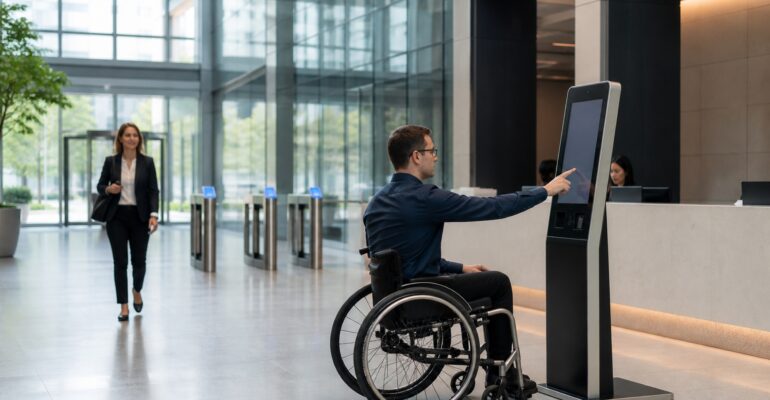
For example, imagine a candidate who uses a wheelchair arriving for an interview during the morning rush. At the old station, the screen sits too high and the base blocks a close approach. The visitor must wait for a receptionist, while other arrivals form a line behind them.
With a well-planned freestanding kiosk, the visitor approaches comfortably and follows concise on-screen steps. The workflow confirms the host, captures required acknowledgments, and prints the visitor badge. Meanwhile, the system sends the host notification automatically. The guest moves forward without an unnecessary handoff.
Design choices that improve accessible visitor check-in
First, start with the physical approach. Teams should review clear floor space, reach distance, screen angle, and traffic flow around the kiosk. A technically capable interface will still fail if furniture or queue barriers block access.
Second, simplify the digital experience. Use direct language, strong contrast, clear focus states, and controls that are easy to identify. Additionally, avoid long paragraphs and time limits that expire before a visitor can respond.
Finally, plan for flexible interaction. Depending on the site, that may include accessible hardware controls, audio support, multilingual instructions, QR-based preregistration, or a clear way to request assistance. Specifically, each option should connect to the same secure workflow and audit trail.
How accessibility supports security and compliance
Good access and strong site security support the same goal: a sound process that people can finish with care. When guests know each step, they make fewer errors. Therefore, ID details, policy checks, and badge data stay more steady.
Moreover, teams gain a clear way to review access during site plans and tests. They can note kiosk placement, check common guest paths, and train staff to give useful aid. This work supports ADA goals while making the front desk more ready each day.
A simple plan for each site
First, walk the route as a guest would, starting at the front door and moving toward the kiosk. Look for tight turns, loose mats, cords, signs, or chairs that may block the path. Then check if a guest can stop near the screen without standing in the main line, since this short walk can reveal flaws that a floor plan may miss.
Second, ask a wide group to test each step, with people of many heights, reach needs, sight levels, and ways of moving. Give them a real task, such as finding a host and printing a badge. Meanwhile, note where they pause, go back, or ask for help. The aim is not to judge the guest; instead, the test should show where the flow needs work.
Next, fix the steps that cause the most harm or delay, since a small change can have a large effect. For example, teams can move a waste bin, raise the text size, shorten a prompt, or add more time to a page. As a result, the same kiosk may work well for far more guests.
Finally, test the site again after each big change, because new doors, desks, queue rails, or screen flows can bring back old issues. Therefore, make the review part of each site launch and update. Keep a short list of what the team checked and what it changed, so staff can learn from one site and use the best ideas at the next.
In addition, give staff a clear way to help when a guest asks, and keep that aid quick and calm. Additionally, it should respect the guest’s choice and space. In short, the kiosk should offer a strong self-serve path, while the team stays ready when a person wants support.
Key takeaways for facilities and security teams
- Accessible visitor check-in starts with both physical placement and digital usability.
- Simple prompts and flexible interaction paths reduce manual exceptions.
- Inclusive kiosk design improves speed, consistency, and visitor confidence.
- Accessibility reviews should join security, workflow, and site-readiness planning.
In short, an automated front desk works best when more people can use it on their own. Good access makes the kiosk more useful, not less safe. It also gives each guest a more polished first visit.
Ready to build a more accessible automated front desk?
See how Sadevio can help you create a secure, inclusive, and efficient visitor check-in experience.