
Visitor Arrival Alerts That Speed Up Check-In
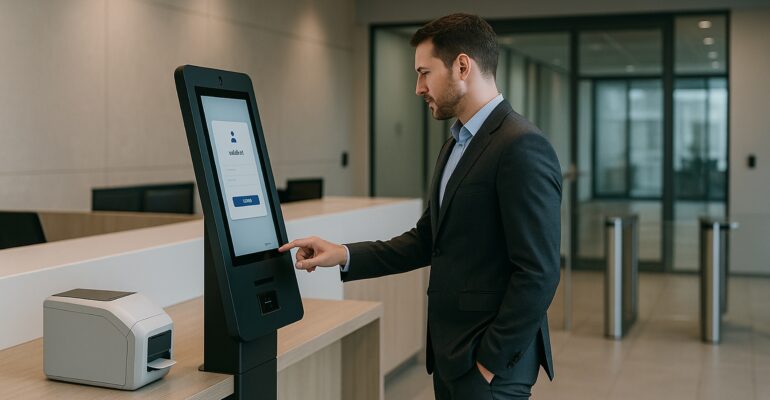
Visitor Arrival Alerts That Speed Up Check-In
Check-in does not end when a badge prints. In many offices, the real delay starts after the visitor finishes at the kiosk. Hosts miss the alert, reception has to chase people down, and the lobby begins to back up. As a result, a fast check-in flow can still feel slow.
That is why visitor arrival notifications matter. When a self-service kiosk triggers the right alert, at the right time, in the right channel, teams can move visitors from arrival to pickup with far less friction. Moreover, the automated front desk feels more organized, responsive, and secure.
If you want the wider platform context first, explore Sadevio’s features, available integrations, and the live self-service kiosk demonstration.
Why host response time shapes the visitor experience
Most teams focus on the sign-in screen, badge printing, and policy steps. However, the handoff to the host often decides whether the visit feels smooth. If the host does not see the alert quickly, the visitor waits near the entrance and reception has to step in. Therefore, even a modern kiosk can feel disconnected from the actual front-desk workflow.
Visitor arrival notifications close that gap. Instead of relying on manual calls or hallway searches, the system can notify the right host as soon as the visitor checks in. In addition, teams can route alerts through email, SMS, Microsoft Teams, or other connected systems, depending on how the site operates.
How visitor arrival notifications support an automated front desk
A self-service kiosk already handles arrival tasks that used to depend on reception staff. It can verify the visitor, collect policy acknowledgments, print a badge, and log the event. When visitor arrival notifications are added to that flow, the kiosk does even more. Specifically, it starts the handoff automatically and reduces the need for manual follow-up.
This matters for security and operations alike. Security teams want visitors to move through approved steps without confusion. Meanwhile, operations teams want shorter waits and fewer interruptions at the desk. Consequently, better host alerts improve both control and efficiency.
- notify hosts the moment a visitor completes check-in
- reduce waiting at the entrance during peak periods
- cut down on manual reception follow-up
- support more consistent handoffs across locations
Example scenario: a busy headquarters lobby
A headquarters office receives clients, candidates, and delivery contacts through one main entrance. Before improving notifications, visitors often completed check-in on time, but hosts did not always notice the alert right away. Reception then had to call, message, or track someone down. As a result, the kiosk looked efficient, yet the lobby still felt congested.
After the team refined its visitor arrival notifications, hosts received clearer alerts in the tools they already used. For example, candidate visits routed to hiring managers through one channel, while contractor arrivals triggered a different workflow. Therefore, pickup times improved, manual assists dropped, and reception could focus on exceptions instead of routine follow-up.
Before vs after better notification workflows
Before
- Visitors finish check-in but still wait near the entrance.
- Reception staff chase hosts through calls or side messages.
- Peak arrival periods create avoidable lobby congestion.
- Teams have little visibility into missed or slow responses.
After
- The kiosk triggers the next step as soon as arrival is complete.
- Hosts receive the alert in a channel they already monitor.
- Visitors move from check-in to pickup more quickly.
- The automated front desk feels coordinated instead of reactive.
Overall, visitor arrival notifications help teams turn a basic sign-in station into a connected front-desk workflow.
What teams should review when improving alerts
First, confirm who needs to be notified for each visitor type. Second, review which channel produces the fastest response at each site. Finally, look for exceptions that still force reception to intervene. In many cases, the best workflow is not the most complex one. It is the one that reaches the right person quickly and consistently.
Additionally, notification rules should reflect how the building actually operates. A corporate HQ, multi-tenant lobby, and secured facility may all require different logic. That flexibility is where integrations become valuable. When the kiosk connects with access control, identity, and communication workflows, alerts become part of a larger visitor management process instead of a stand-alone message.
Key takeaways
- Visitor arrival notifications reduce delays after check-in is complete.
- A self-service kiosk becomes more valuable when it starts the host handoff automatically.
- Better alerts improve lobby speed, consistency, and front-desk workload.
- Integrated notification workflows help teams scale visitor management with less manual effort.
If your team wants a faster and more professional lobby, start by reviewing what happens right after a visitor signs in. In short, when the right person gets the right alert at the right time, the entire arrival experience improves.
Ready to make your front desk more responsive?
See how Sadevio can help your team connect visitor check-in, notifications, and secure lobby workflows.